

Invoicing and payments
The invoice is ready before the tech leaves.
The tech closes out on their phone and drafts the invoice from the parts and labor on the job, at your prices. Mark cash or check on the driveway. Not Done until it’s paid.
$249/mo. Flat. Unlimited users.
- Notes
- PartsFrom the price book
- Photos
- Signature
How it works
From closeout to paid
- Request
- Schedule
- Closeout
- Invoice
- Paid
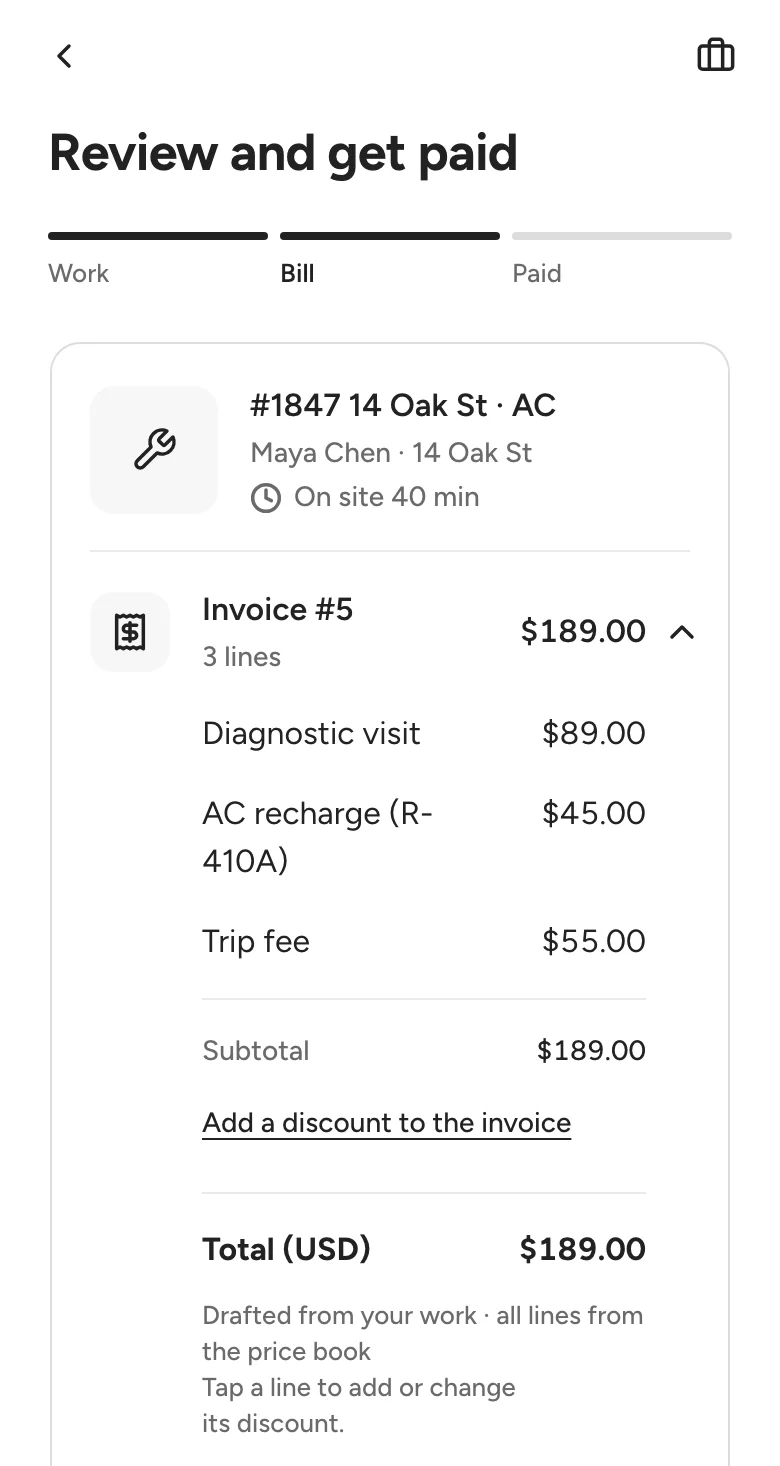
1 · Drafted on site
The tech reviews it on their phone, line by line.
Each line is priced from your book. A custom line is flagged for the office to review. Your shop decides whether the customer signs on the phone.
2 · Send the invoice Live in demo
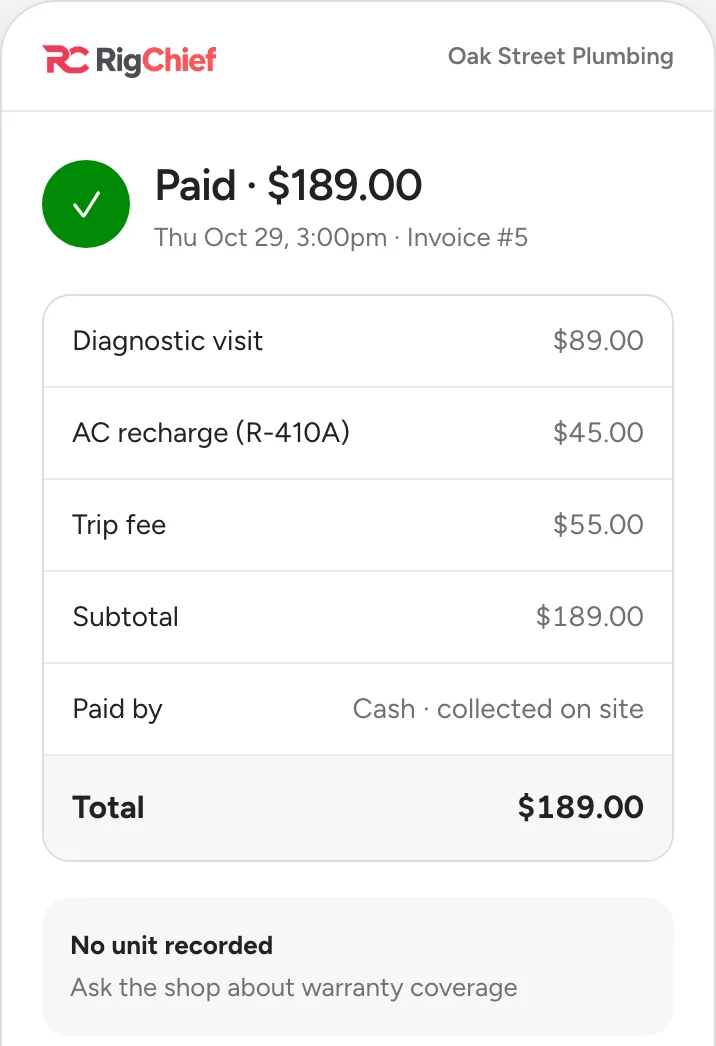
Copy the link, or email it from your own mail.
Email to customer opens your mail app with the invoice link written in, when the customer has an email on file. Rigchief doesn’t send it for you. The link opens the customer’s invoice, and once it’s paid, their receipt with a PDF.

3 · Paid on the driveway
Cash or check, marked right on the job.
Capped at what’s owed. Take part now and the rest stays open until it’s collected. A job can’t be marked Done while money is owed, and your shop can have the office confirm the cash.
Card payments are coming soon, through your own Stripe or Square.
$180.00
Due on this job before it can closeCash collected. The job can close.Done means paid.
- Work completed
- Invoicedrafted from parts and labour
- Paymentwaiting on the customercash on the driveway
- Doneunlocks once it’s paidready to closeclosed
4 · Office confirms
Cash from the driveway, checked in at the office.
When your shop wants a second check on cash, the office confirms it reached the shop. The payment stays collected either way. The same page lists every job still owed, with a Collect button for each.

What works today
Each part, labelled
Live: works in your shop today. Live in demo: try it in the demo shop now. Coming soon: planned, not built yet.
The invoice
- Invoices from your price bookLiveOnly your prices. A custom line is flagged for review.
- Invoice drafted on siteLiveFrom your price book, before the tech leaves.
- DiscountsLiveOn one line or the whole invoice, as a percent or dollars, before tax. Techs can give one unless you turn that off.
- Customer signs on the phoneLiveYour shop decides whether a signature is required.
- Email or copy the invoice linkLive in demoEmail opens your own mail app with the link written in; nothing is sent for you. The customer’s invoice and receipt pages, with a PDF.
Getting paid
- Mark cash or check collectedLiveRight on the job, capped at what’s owed.
- Partial paymentsLiveTake part now; the rest stays open until it’s collected.
- Office confirms receiptLiveWhen your shop wants a second check on cash.
- Done means paidLiveA job can’t be marked Done while money is owed.
- Awaiting paymentLiveEvery job still owed, with the total.
- Card paymentsComing soonThrough your own Stripe or Square. Rigchief never sees the card number.
Questions
Can I take card payments?
Cash and check today, marked right on the job. Card payments are coming soon. Rigchief never sees a card number.
What if the customer pays only part?
Mark what they paid. The rest stays open on the job and in Awaiting payment until it’s collected, and the job can’t be marked Done.
Does the customer have to sign?
Your shop decides. Turn on the rule and a signature is needed before Done.
Does it work with QuickBooks?
Not today.
Try every Live feature in the demo shop.
No form, nothing to set up. $249/mo. Flat. Unlimited users.